Case Study: Moving a Brokerage Site Off Wix
What actually changed when a brokerage left Wix, in plain English — what got faster, how leads still reach your CRM, and what we are not claiming yet.

Piper Moretti
Founder, CiteWave Systems
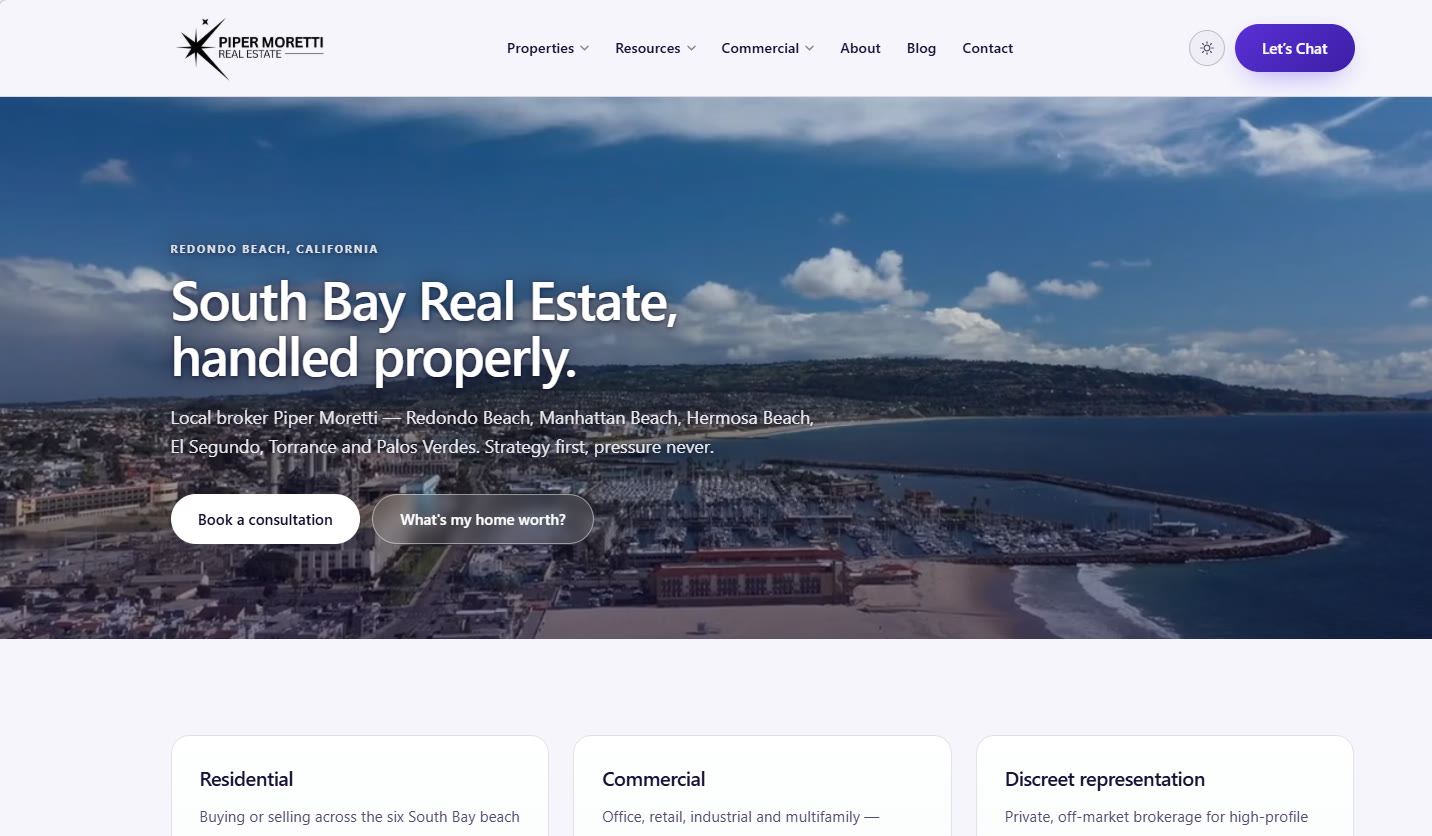
First, a disclosure: pipermorettirealestate.com belongs to CiteWave's founder. This was not a paying client, and we are not going to dress it up as one. We are writing it up because it is the one project where we can show you every decision, including the ones that went wrong, without needing a client's permission.
That cuts both ways. You should trust a self-owned project less than a real client result. In return, every number below is one you can check yourself — open the site and look.
What was wrong with the old setup
The brokerage covers six South Bay markets — Redondo Beach, Manhattan Beach, Hermosa Beach, El Segundo, Torrance, Palos Verdes. About sixty pages of genuine content: city pages, buyer and seller guides, commercial pages, and thirty blog posts written over several years.
The writing was good. The platform was the problem.
Here is the part most agents never see. Behind every page there is a set of hidden labels that tell Google and ChatGPT what they are looking at — this is a question, that is its answer, this is the broker's license number, that is the city. Think of it like the data on a listing sheet. Beds: 3. Baths: 2. Search engines read the labels, not the pretty part.
On the old site those labels had gone wrong. One city page was telling Google it answered a question that appeared nowhere on the page. That is the exact mismatch Google warns about, and there was no way to fix it, because the platform writes the labels and does not let you see them.
Most agent websites are rented, not owned
Wix was this brokerage's ceiling. For most agents, the ceiling is lower.
The usual setup is a website that comes from your brokerage, or is bundled in with your IDX and lead software. It launches fast, it looks professional, and the CRM attached to it is often genuinely good. The website part is where the trade sits, and it is worth saying out loud:
Your site is a copy of everyone else's. The same layout, the same headings, and often the same stock paragraphs about the local market are running on hundreds of other agents' sites. You are asking Google to pick a winner between near-identical pages. It picks based on which site it already trusts and who is spending — and that is not you.
You cannot fix the labels. Those hidden labels are written by the vendor, the same way for every agent on the platform. If they are thin, or if they describe your page wrong, you cannot correct them from your dashboard. This mattered less five years ago. It matters now, because those labels are how ChatGPT and Google's AI answers decide whether they can quote you by name.
The pages might not be yours to keep. If the site sits on the vendor's web address, or their page structure, then whatever standing those pages build up belongs to the arrangement, not to you. Leaving is not a redesign. It is starting from zero.
So they sell you traffic instead. When every agent's site is basically the same, the only thing left to buy is placement — platform ads, or leads by ZIP code, often from the same company that gave you the site. That is rent. It works while you pay, and the day you stop, you own nothing you did not own on day one.
None of this makes those platforms a bad buy. The IDX feed, the CRM and the follow-up tools are real products solving real problems, and plenty of agents should keep paying for them. The argument is narrower than that: your website is the one piece you should own outright, because it is the only piece that builds up over time. A CRM you rent is a tool. A web address and a set of pages you control is an asset.
What we built
The pages are now built in advance and sit ready on the server. Nothing gets assembled while your visitor waits.
- 62 pages, 59 of them listed for Google
- 405 images moved onto the site's own address, so it depends on nobody else's image service
- No outside code at all. No tracking tag, no chat bubble, no font service, no plugins
- No cookies, so no cookie banner, because there is nothing to consent to
- The homepage sends about 175 KB — roughly a fifth of one photo from your phone
That last figure is the one to sit with. It is not clever engineering. It is what you get when nothing from outside is allowed onto the page. On most websites, the majority of what a visitor downloads is not the website — it is other companies' code.
The labels that let AI quote you
This is the part that decides whether ChatGPT can cite you, and the part a page builder will not do properly.
On this site the labels are generated from the finished page itself. The FAQ labels are read back off the questions a visitor can actually see and click. It is not possible for them to advertise a question the page does not answer — which is exactly what went wrong on the old site.
Live now: proper FAQ labeling on 21 pages, plus labels identifying the broker, the business, the cities served and each article.
Two decisions worth copying:
Not every sentence with a question mark is a question. The site has buttons like "Ready to start your South Bay journey?" Labeling that as an FAQ tells an AI that a sales pitch is an answer. Those are filtered out, and any answer shorter than about two sentences is dropped as too thin to be worth quoting.
One question is not an FAQ. The About page has a single real question on it, so it carries no FAQ labels at all. A page that drops off the list for a good reason is how you know the system is honest.
One thing to know if someone is selling you FAQ markup: Google stopped showing FAQ drop-downs in search results in 2023 for everyone except government and health sites. It will not give a brokerage those. What it does do is let ChatGPT, Perplexity and Google's AI answers lift a specific answer and attribute it to you. That is a real reason to do it. "You'll get rich snippets" is not.
So what happens when someone fills in a form?
This is the question that stops the conversation every time. No plugins, no platform — so where does the lead actually go, and do you lose your CRM?
Here is the full chain.
1. The form is part of the page, not a widget loaded in from somewhere else. It works even if the visitor's phone blocks scripts, and it adds nothing to the load time. Most platform forms are outside code that builds the form after the page arrives — which is why they feel slow, and why sometimes the form simply never shows up.
2. The lead is caught by the hosting company itself, not by an add-on. No form service, no monthly per-user fee, nobody standing between your visitor and the send button.
3. Junk is filtered first. Every form has a hidden field a human never sees and a bot fills in every time. Anything that touches it is thrown away before it reaches you.
4. The lead is written down twice, instantly — saved in your hosting dashboard and emailed to you. Both happen before anything else runs.
5. Then it goes wherever you need it. This is the step people assume they lose, and it is actually the step you take control of. The moment a lead is saved, a small piece of code hands it straight to your other tools:
- Your CRM. Follow Up Boss, kvCORE, Sierra, LionDesk, Wise Agent, HubSpot — they all offer a connection for exactly this. The lead lands in your CRM the same second it lands in your inbox, with the fields mapped the way you want them.
- Your drip campaigns. The contact is added to the right list and started on the right sequence automatically. On this site the rule is deliberately simple — it only happens if the person ticked the consent box. Yours can be as detailed as you like: one sequence for a seller, another for a buyer, another again for a valuation request.
- Anything else you already pay for. A text alert to your phone, a shared team inbox, a spreadsheet, a booking calendar. If you do not have a developer, a connector like Zapier wires these up without code.
6. And if any of that breaks, you still have the lead. This is the whole point of the order. Those hand-offs are told to report success no matter what happens to them. If your CRM connection expires, you lose that one hand-off — you do not lose the lead, because it was already saved and emailed at step 4.
That is backwards from how most agent websites work. On a platform, the form is the CRM. If the connection breaks, the lead does not exist anywhere, and you usually find out a week later when someone asks why you never called. Here the record comes first, and every tool is fed from it afterward.
So the honest answer to "do I lose my CRM and my drips?" is no. You keep them — and you stop depending on them to catch the lead in the first place.
The one real limit
You do not get lead routing handed to you — no automatic round-robin between fifteen agents, no built-in lead scoring. If you are a team that genuinely needs that, buy software that does it and connect it at step 5 like anything else. Your website does not have to be the same product.
Also worth saying plainly: form volume is not free forever. Hosting plans include a set number of submissions a month, and past that you move up a tier. It is well below what a per-seat platform costs, but it is not zero, and anyone telling you this setup has no running costs is leaving out a line.
What we left out on purpose
The brokerage asked about adding Google Analytics. We measured it before answering.
Google's tracking code is about 167 KB — roughly the size of the entire rest of the homepage. Adding it would nearly double what every visitor downloads, just to count them. It also sets cookies, which means a cookie banner and a rewritten privacy policy.
We used the hosting company's own visitor counting instead. It reads records the server already keeps, adds nothing to the page and sets no cookies.
We mention it because "add Google Analytics" is the reflex on every build. It is a genuine trade, and almost nobody sees the number before they make it.
What we are not claiming
No before-and-after speed numbers. The old Wix site is gone, and our saved copy of it was lost. We could estimate. We are not going to, because an estimate sitting next to real numbers gets read as a real number.
No traffic or ranking results. The site went live in August 2026 with no analytics running until now, so there is no starting point to measure against. Anyone showing you traffic graphs a few weeks after a migration is showing you the season, not their work.
What we can tell you is what was built and what it measures today. Come back in six months and we will have the rest — or we will tell you it did not move.
Who should actually do this
Not everyone needs to leave their platform, and we will tell you so.
If your labels can be fixed where they are, and your site is not dragging half a megabyte of other people's code, then fix it where it sits. That is a much smaller invoice, and we would rather write it.
The rebuild case is narrower: your platform will not let you control what search engines and AI see, or your site cannot be made fast because the weight is in pieces you are not allowed to remove. That was true here. It is true a lot less often than the people selling rebuilds suggest.
Not sure which one you are? That is what a paid diagnostic is for — our pricing is published, including the part where we tell you a rebuild is not warranted.
For the technically inclined: Next.js exported to static HTML on Netlify, Decap CMS over Git Gateway for editing, Netlify Forms plus a submission-created function for lead handling, and JSON-LD generated at build time from the rendered markup.
Written by Piper Moretti
Local SEO & AEO specialist, Redondo Beach, CA